Why ADUs Make the Perfect Home Office or Studio
The shift toward remote work and freelance careers has transformed how Californians think about their living and working spaces. An Accessory Dwelling Unit (ADU) designed as a dedicated home office or creative studio offers something that a spare bedroom or converted garage corner never can: a truly separate, purpose-built workspace with all the infrastructure, privacy, and professionalism needed for productive work.
Unlike simply working from a room in your main house, an ADU office provides physical and psychological separation between your work and personal life. You "commute" by walking across your backyard, but the mental shift of entering a dedicated workspace is significant. Studies consistently show that dedicated workspaces improve focus, productivity, and work-life balance compared to working from a kitchen table or shared living space.
In this comprehensive guide, we will explore the best floor plan layouts for ADU offices and studios, essential infrastructure like electrical, internet, and lighting, soundproofing strategies, ergonomic design principles, and important zoning considerations that California homeowners need to understand. Whether you are a remote tech worker, creative professional, therapist, consultant, or entrepreneur, you will find design guidance tailored to your specific needs.
Best Floor Plan Layouts for ADU Offices
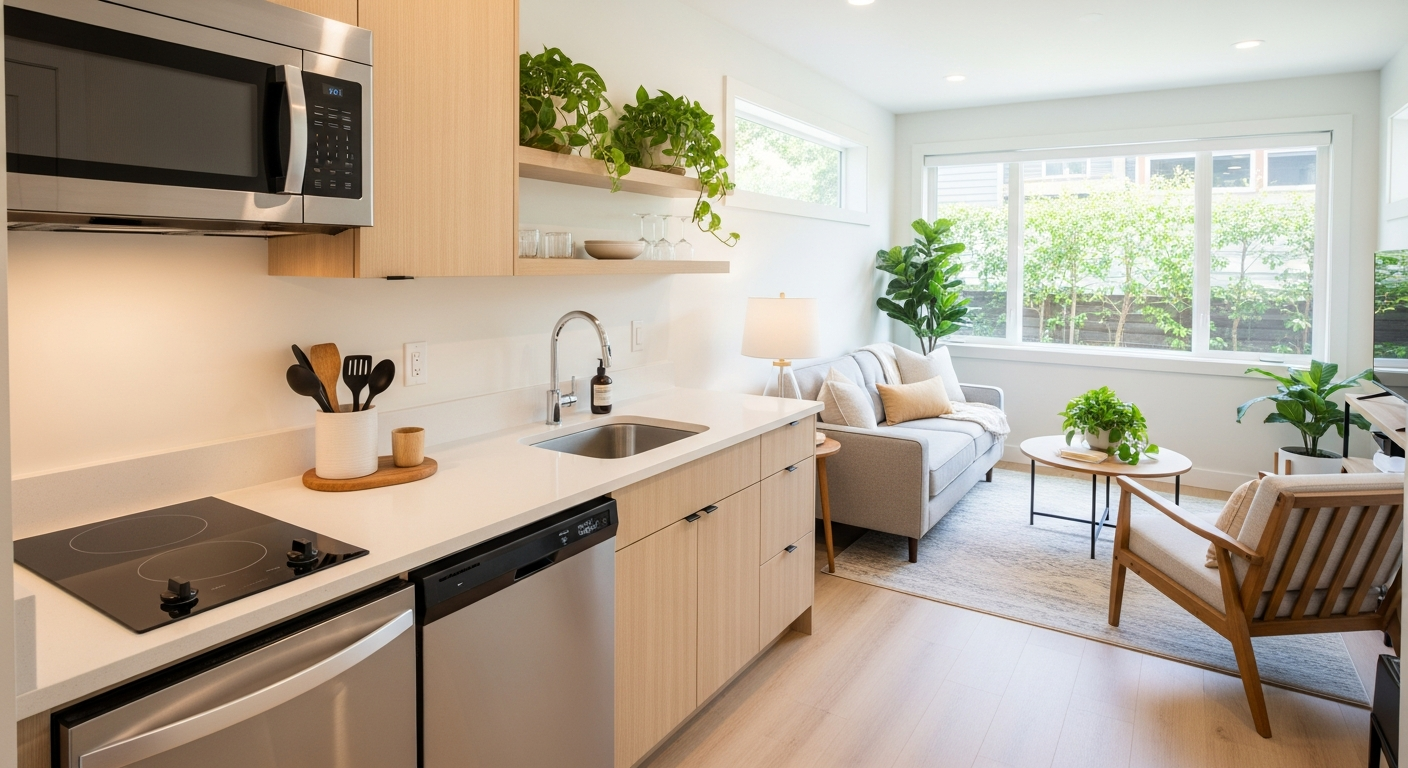
1. The Compact Home Office (200 to 400 sq ft)
This efficient layout is perfect for a single professional who needs a dedicated workspace. At this size, you are building what many jurisdictions classify as a Junior ADU (JADU), which often has a streamlined permitting process.
| Zone | Size | Function |
|---|---|---|
| Primary workspace | 100 to 150 sq ft | Desk, monitors, ergonomic chair |
| Meeting/lounge area | 50 to 80 sq ft | Small sofa, coffee table for informal meetings |
| Kitchenette | 30 to 50 sq ft | Mini fridge, microwave, coffee station |
| Half bathroom | 25 to 35 sq ft | Toilet and sink |
| Storage | 20 to 40 sq ft | Filing, supplies, equipment |
2. The Creative Studio (400 to 600 sq ft)
Ideal for artists, photographers, videographers, podcasters, or musicians who need open floor space and specialized infrastructure. This layout emphasizes large, flexible open areas with high ceilings where possible.
Key features include:
- Open floor plan with minimal interior walls
- High ceilings (10 feet or higher) for large artwork or studio lighting
- North-facing windows for consistent, natural light (ideal for visual artists)
- Reinforced ceiling for hanging equipment (lighting rigs, projection screens)
- Stained or polished concrete floors (durable, easy to clean, aesthetically versatile)
- Large sliding or roll-up door for moving large items in and out
- Full bathroom with utility sink for cleanup
3. The Professional Suite (600 to 800 sq ft)
For professionals who meet with clients, such as therapists, consultants, tutors, or financial advisors, this layout includes a private office space, a client meeting area, and appropriate amenities.
Layout includes:
- Waiting area or reception space near the entrance
- Private office or consultation room with sound privacy
- Conference or meeting table for 4 to 6
- Full bathroom accessible to clients
- Kitchenette for beverages
- Separate entrance from the main residence
4. The Dual-Purpose Office/Guest Suite (700 to 1,000 sq ft)
This versatile layout combines a full home office with a guest bedroom, allowing the ADU to serve double duty. During work hours, it is a professional office. When guests visit, it converts to a comfortable guest suite.
Design features:
- Separate office room and bedroom with closing doors
- Murphy bed or convertible sofa in the office area for occasional guest use
- Full kitchen and bathroom
- In-unit laundry for guest convenience
- This layout also provides rental income potential if work needs change
Browse Our ADU Floor Plans
Explore our collection of pre-designed floor plans from 400 to 1,200 sq ft.
View Floor PlansElectrical Infrastructure for a Home Office ADU
A home office ADU requires more electrical infrastructure than a standard residential unit. Plan for these electrical needs during the design phase to avoid expensive retrofits later.
Power Requirements
| Equipment | Wattage | Circuit Recommendation |
|---|---|---|
| Desktop computer | 300 to 700W | Dedicated 20A circuit |
| Dual monitors | 60 to 150W total | Shared with computer circuit |
| Laser printer | 600 to 1,200W (peak) | Dedicated 20A circuit |
| UPS / Battery backup | Varies | Dedicated circuit recommended |
| Studio lighting | 500 to 3,000W | Multiple dedicated circuits |
| Audio equipment | 200 to 1,000W | Dedicated, filtered circuit |
We recommend installing a 200-amp sub-panel for any ADU that will serve as a primary workspace, even if current needs do not require that capacity. This provides headroom for future equipment additions and avoids the cost of upgrading later.
Data and Connectivity
- Fiber or Ethernet: Run Cat6a or fiber optic cable from the main house or direct from the street. Do not rely on Wi-Fi as your primary connection for professional work.
- Redundant internet: Consider a secondary connection (such as a 5G cellular backup) for critical work
- Network closet: Designate a small area for your router, switch, and UPS
- Multiple Ethernet drops: Install at least 2 Ethernet jacks at each desk location and one in the meeting area
Soundproofing Your ADU Office
Whether you are on video calls, recording podcasts, producing music, or simply need quiet concentration, soundproofing is essential for a professional home office or studio ADU.
Sound Transmission Class (STC) Ratings
| STC Rating | Sound Isolation Level | Application |
|---|---|---|
| 33 to 39 | Standard residential | Normal conversation audible |
| 40 to 49 | Good | Loud speech barely audible |
| 50 to 59 | Very good | Professional office standard |
| 60+ | Excellent | Recording studio grade |
Soundproofing Strategies
- Double-stud walls: Two separate wall frames with an air gap between them for maximum sound isolation
- Resilient channel: Metal channels that decouple drywall from studs, reducing sound vibration transfer
- Mass-loaded vinyl (MLV): Dense material applied behind drywall for additional mass
- Acoustic insulation: Mineral wool or fiberglass batts in all wall and ceiling cavities
- Solid-core doors: With acoustic seals and automatic door bottoms
- Double-pane windows: With different glass thicknesses for maximum sound reduction
- Acoustic caulk: At all joints, outlets, and penetrations to seal air gaps
Soundproofing costs range from $2,000 to $15,000 depending on the level of isolation needed. For a professional recording studio or podcast room, budget toward the higher end.
Ready to Start Your ADU Project?
Get a free consultation with our ADU experts and discover your property's potential.
Schedule Free ConsultationZoning and Business Use Considerations
Before using your ADU as a home office or studio, it is important to understand the zoning implications. While California's ADU laws are designed to create housing, many homeowners use ADUs for work purposes.
Home Occupation Permits
Most California cities allow home-based businesses through a home occupation permit. These permits typically allow you to:
- Use a portion of your residence for business activities
- Receive limited client visits (usually no more than 5 to 8 per day)
- Have no external signage (or very limited signage)
- Not generate excessive traffic, noise, or parking demand
- Not employ non-resident staff on-site
ADUs used exclusively as an office (not a dwelling) may face different regulations than ADUs used as both a dwelling and office. Check with your local zoning department for specific rules.
Tax Deductions for Home Office ADUs
If you use your ADU exclusively for business, you may qualify for significant tax deductions:
- Depreciation of the ADU structure and improvements
- Utilities allocated to the office space
- Insurance for the business use portion
- Internet and phone services used for work
- Maintenance and repairs to the ADU
Consult a tax professional to understand the specific deductions available for your situation and to ensure proper documentation.
Frequently Asked Questions
Do I need a permit to use my ADU as a home office?
If you are using the ADU as your dwelling and working from home within it, standard home occupation rules apply. If you are building the ADU exclusively as an office space (without residential amenities like a bedroom), you may need a different type of permit. Contact your local planning department for clarification.
Can clients visit my ADU office?
Yes, in most California jurisdictions, home occupation permits allow a limited number of client visits per day (typically 5 to 8). You may need to provide adequate parking and ensure visits do not create neighborhood disruption. Check your local regulations for specific limits.
How much does it cost to build a home office ADU?
A purpose-built office ADU costs roughly the same as a residential ADU of the same size: $150,000 to $350,000 for a 400 to 800 square foot unit in California. Add $2,000 to $15,000 for soundproofing, $1,000 to $5,000 for additional electrical infrastructure, and $500 to $2,000 for enhanced connectivity.
What internet speed do I need in my ADU office?
For professional remote work with video conferencing, we recommend a minimum of 100 Mbps download and 20 Mbps upload. For content creation (video editing, large file transfers), aim for 500 Mbps or higher. Hardwired Ethernet connection is strongly preferred over Wi-Fi for reliability.
Can I rent out my office ADU when I am not using it?
If your ADU is permitted as a dwelling unit, you can rent it as a residential rental when you no longer need it as an office. Converting between uses may require updating your local business license or home occupation permit. The flexibility to transition between office and rental use is one of the key advantages of building a full ADU rather than a simple office shed.
Do I need soundproofing in my ADU office?
If you regularly participate in video calls, record content, or need quiet concentration, soundproofing is highly recommended. Standard residential wall construction (STC 33-39) allows normal conversation to be heard through walls. For professional use, aim for STC 50+ which makes loud speech barely audible.
Wondering What Your ADU Will Cost?
Use our free cost calculator to get an instant estimate for your project.
Try the Cost CalculatorTechnology and Wiring Considerations for Home Office ADUs
A productive home office ADU requires robust technology infrastructure. Planning your wiring and connectivity during the design phase is far more cost-effective than retrofitting after construction. California homeowners building a dedicated workspace ADU should consider these technology essentials.
Internet Connectivity Options
Reliable high-speed internet is non-negotiable for a home office ADU. You have several options for connecting your ADU to the internet:
- Dedicated fiber or cable line: Running a separate internet line to your ADU provides the most reliable connection and avoids bandwidth competition with the main home. Contact your internet provider during construction to arrange installation. Expect to pay $200 to $500 for the initial line run.
- Ethernet backhaul from main home: Running a CAT6 or CAT6a Ethernet cable from your main home's router to the ADU provides a direct wired connection. Bury the cable in conduit between the two structures for protection. This is the most cost-effective option for detached ADUs within 300 feet of the main home.
- Mesh Wi-Fi network: A mesh Wi-Fi system with a dedicated node in the ADU extends your main home's network wirelessly. This works well for attached ADUs or detached units close to the main home, but may not provide sufficient speeds for video conferencing if the distance is too great.
- Point-to-point wireless bridge: For detached ADUs farther from the main home, a point-to-point wireless bridge creates a dedicated high-speed link between the two structures without running cable underground.
Electrical and Data Outlet Planning
Plan for more electrical and data outlets than you think you need. A well-designed home office ADU should include:
- At least four to six electrical outlets per wall in the primary workspace area
- Dedicated circuits for high-draw equipment such as printers, monitors, and space heaters
- USB-C integrated outlets at desk locations for convenient device charging
- At least two hardwired Ethernet ports in the primary work area for wired connections to computers and printers
- A designated location for a network switch or Wi-Fi access point with its own outlet and Ethernet connection
Video Conferencing Setup
With remote work and virtual meetings now standard, design your ADU workspace with video conferencing in mind. Position your primary desk so that natural light comes from the front or side, never from behind, to avoid being silhouetted on camera. Include a solid, neutral-colored wall behind the desk area for a professional background. Run power and Ethernet to a ceiling or wall location if you plan to mount a dedicated webcam or ring light.
Lighting Design for Productivity in Your ADU Office
Lighting directly impacts productivity, focus, and well-being. A well-lit home office ADU combines natural and artificial light to create a comfortable and energizing workspace throughout the day.
Maximizing Natural Light
Natural light is the single most important factor in creating a pleasant workspace. Position your primary desk near the largest window, oriented so light comes from the side to minimize screen glare. Consider these natural light strategies for your ADU office:
- Skylights or solar tubes: Particularly valuable if your ADU has limited wall space for windows, skylights bring light deep into the interior without consuming wall space needed for storage or equipment
- Transom windows: Windows placed above doorways or built-in shelving allow light to flow through the space without sacrificing privacy or usable wall area
- Light shelves: Horizontal surfaces mounted above eye level on south-facing windows bounce natural light deeper into the room, reducing the need for artificial lighting during daytime hours
Layered Artificial Lighting
Even with generous natural light, you need a thoughtful artificial lighting plan for cloudy days, early mornings, and evening work sessions. The three-layer approach works best for home office ADUs:
- Ambient lighting: Recessed ceiling lights or a central fixture providing general illumination at 300 to 500 lux for the overall space
- Task lighting: Adjustable desk lamps with color temperature control (3000K to 5000K) positioned to illuminate your work surface without creating shadows or glare on screens
- Accent lighting: LED strip lights under shelving, wall sconces, or pendant lights that add warmth and reduce the contrast between bright work areas and darker surroundings
Choose LED fixtures with adjustable color temperature when possible. Cooler light (4000K to 5000K) promotes alertness during focused work, while warmer light (2700K to 3000K) is more comfortable for relaxed tasks and creative work. Dimmable fixtures give you full control over the lighting mood throughout the day.
Frequently Asked Questions About Home Office ADU Floor Plans
What is the minimum size for a functional home office ADU?
A functional home office ADU can work in as little as 150 to 200 square feet if the space is designed exclusively for work without living accommodations. However, most California homeowners opt for 300 to 500 square feet, which provides room for a dedicated workspace, a small meeting or client area, a bathroom, and a compact kitchenette. If you plan to use the space for both working and occasional overnight stays, 400 to 600 square feet offers a more comfortable balance. Review our guide on ADU floor plans for various lot sizes for layout ideas.
Do I need a separate address for a home office ADU?
If you operate a business from your ADU, having a separate address can be beneficial for professional purposes, mail delivery, and business registration. Most California cities assign a distinct address or unit number to permitted ADUs automatically. Check with your local planning department about home occupation permits, which may be required for certain types of business activities conducted from a residential property. Business licensing requirements vary by city.
What is the best flooring for a home office ADU?
Hard flooring surfaces are generally preferred for home office ADUs because they are easier to maintain and allow office chairs to roll smoothly. Luxury vinyl plank (LVP) is the most popular choice, offering durability, water resistance, and a professional appearance at $3 to $7 per square foot. Engineered hardwood provides a premium look at $5 to $12 per square foot. Polished concrete is an economical option for studio-style workspaces at $2 to $6 per square foot. If you prefer carpet, use a low-pile commercial-grade product with a firm pad for easy chair movement.
How much does it cost to wire an ADU for a home office?
Wiring a home office ADU with robust electrical and data infrastructure typically adds $3,000 to $8,000 to the overall construction cost. This includes a dedicated electrical sub-panel (required by California code for new ADUs), additional circuits for office equipment, hardwired Ethernet runs, and upgraded outlet placement. Running a separate internet line from the street to the ADU adds another $200 to $500 if your internet provider supports it. These costs are minimal compared to the long-term productivity benefits of a properly wired workspace.
Can I claim tax deductions for a home office ADU?
If you use your ADU exclusively and regularly as your principal place of business, you may qualify for the federal home office tax deduction. The simplified method allows a deduction of $5 per square foot up to 300 square feet ($1,500 maximum). The regular method allows you to deduct a proportional share of actual expenses including depreciation, insurance, utilities, and maintenance. Consult a tax professional familiar with California real estate to determine which method provides the greatest benefit for your situation and to ensure compliance with both federal and state tax requirements.